
A widespread misconception about modern networking is that contact exchange shifted entirely online the moment smartphones became ubiquitous. In reality, physical proximity remains the most secure and reliable trigger for establishing a new professional relationship. The distinction today is that the physical token is no longer the destination. A digital name badge is not merely a piece of plastic with a web address printed on it; it is a localized routing protocol designed to bridge the physical gap between two distinct mobile devices in under a second.
Quick Summary
A digital name badge is a dynamic hardware token or digital asset that transmits contact profiles, access credentials, and portfolio links directly to a smartphone via near-field communication (NFC) or optical scanning.
- Replaces static, hardcoded paper exchanges with cloud-hosted, modifiable routing profiles.
- Utilizes passive NFC induction, requiring no internal battery to transmit data payloads.
- Provides immediate analytic feedback on scan rates and engagement metrics.
- Reduces institutional friction by standardizing the vCard delivery across diverse mobile operating systems.
Table of Contents
- Why proximity still dictates professional handshakes
- The architecture of dynamic credential routing
- Where optical scanning defeats near-field communication
- When credential routing breaks under pressure
- Securing a dual-purpose access badge
- Who should skip hardware-bound tokens entirely
- FAQ
- Recommended Reads
Why proximity still dictates professional handshakes
Digital communication networks operate on the premise of distance, allowing two people across the globe to sync databases instantly. However, initiating trust requires verified proximity. If you attend a conference with five thousand attendees, broadcasting your contact information via a local Bluetooth Low Energy (BLE) beacon creates chaos, not connection. The recipient's device would be overwhelmed with unregulated handshake requests.
This is why modern networking relies on deliberate physical interaction. When a professional utilizes digital ID cards and advanced networking tools, they are actively utilizing hardware that demands a proximity of four centimeters or less, or an optical scan that requires a clear line of sight. This physical requirement prevents unsolicited data drops. The recipient must intentionally aim a camera or tap their device against the badge to initiate the transfer.
The hardware essentially acts as a localized consent mechanism. By relying on inductive coupling rather than continuous active broadcasting, these badges ensure that the data transfer only occurs when both parties acknowledge the interaction. The digital handshake happens in the cloud, but the cryptographic trigger remains firmly in the physical world.
The architecture of dynamic credential routing
To understand why a networking token works reliably across iOS and Android ecosystems without requiring a dedicated app installation, you have to separate its architecture into three distinct layers: the hardware trigger, the routing directory, and the final payload.
The hardware trigger is typically a passive integrated circuit, such as an NTAG213 or NTAG215 chip. This chip contains no power source. When a smartphone is brought within a few centimeters, the magnetic field generated by the phone's NFC controller induces a small electrical current in the badge's copper antenna. This current powers the chip just long enough to transmit a lightweight text payload - usually a URI (Uniform Resource Identifier) formatted under the NDEF (NFC Data Exchange Format) standard.
Once the smartphone receives this URI, it hands the request off to the operating system's default browser. This is the routing layer. Instead of delivering a static contact file directly, the URI points to a cloud-hosted destination. This centralized management is why professionals implement digital business cards with QR codes alongside NFC: both physical triggers point to the exact same routing URL. If your title changes or your company moves offices, you update the database at the routing layer, and every hardware token you have ever distributed instantly forwards scanners to the new information.
The final layer is the payload presentation. This is the mobile-optimized landing page that the routing URL resolves to. It executes the delivery of a structured vCard file (typically following the RFC 6350 standard) directly into the user's native contact book.
Practical rule: Always provision an NTAG215 chip or higher if your payload requires writing an offline fallback vCard directly to the hardware, as the limited byte capacity of lower-tier chips will truncate the file and result in a corrupted contact record.
Where optical scanning defeats near-field communication
Despite the seamless experience of a tap tag business card, relying exclusively on NFC introduces hardware dependencies that can stall an introduction. Optical scanning serves as the universal fallback layer because it relies on software (the camera app) rather than specialized hardware induction.
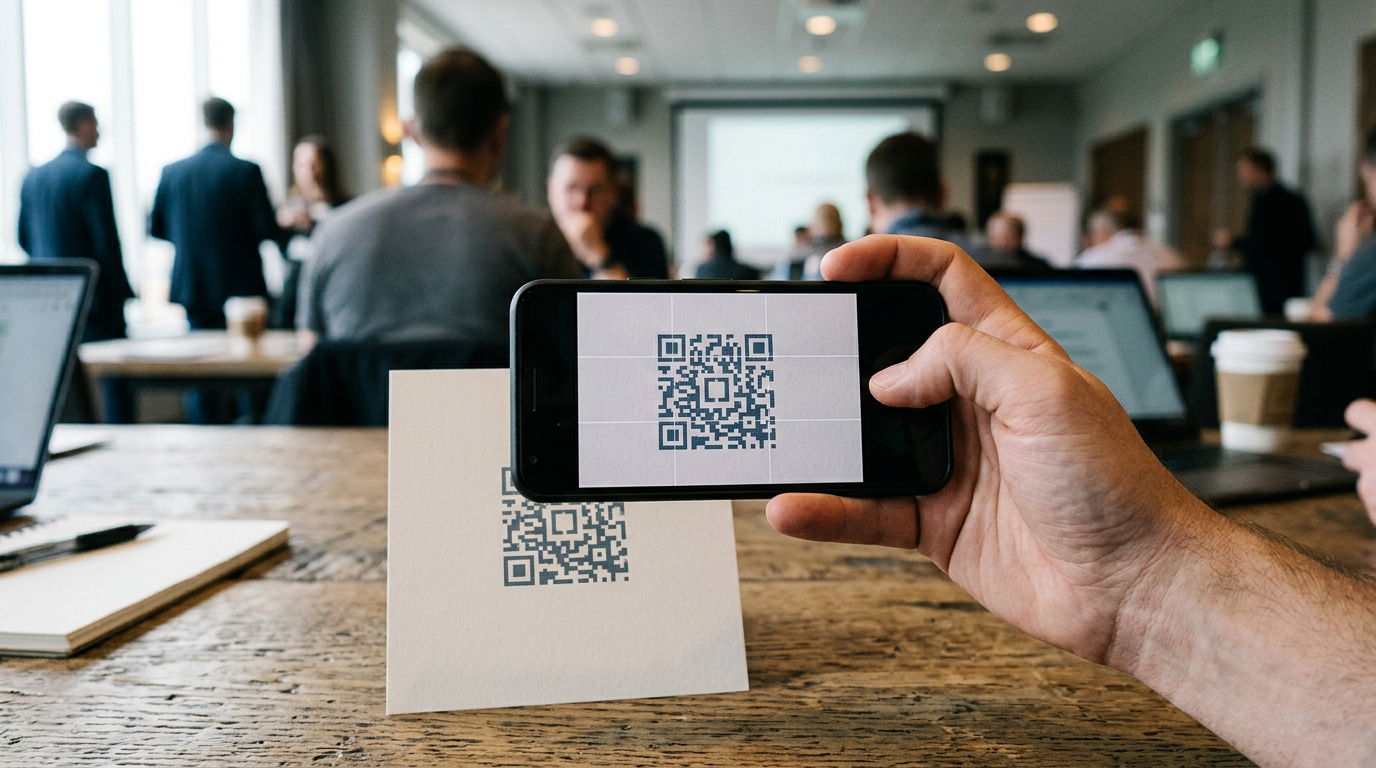
The most common failure point for near-field communication is material interference. If a badge is worn on a thick metal lanyard, or if the recipient's smartphone is encased in a rigid, metal-backed protective cover, the magnetic field required to induce a charge in the passive chip is interrupted. This creates a Faraday cage effect, rendering the tap useless. Additionally, background NFC scanning is sometimes manually disabled by users at the OS level to conserve battery life, or restricted entirely on older device models.
In these high-friction environments, optical routing takes precedence. A user might deploy a dot card qr code purely for its optical reliability, ensuring that any device manufactured in the last decade can parse the destination.
Comparing physical deployment methods
When evaluating a technical deployment guide for QR integration, practitioners must weigh the specific advantages of each medium.
| Specification | Near-Field Communication (NFC) | Optical Scanning (QR Code) |
|---|---|---|
| Mechanism | Magnetic induction (13.56 MHz) | Visual contrast parsing |
| Hardware Dependency | High (Requires NFC reader chip) | Low (Requires standard camera) |
| Interaction Distance | < 4 centimeters | Dependent on module scale (typically 10-30 cm) |
| Material Constraints | Fails against metal surfaces | Fails against reflective or curved surfaces |
| User Friction | Very low (Background reading) | Moderate (Requires opening camera app) |
When credential routing breaks under pressure
The premise of dynamic routing assumes a clean network pathway between the physical scan and the cloud-hosted profile. When a user taps a badge and the profile fails to load, it is rarely a failure of the physical chip. To design a QR code business card that actually scans, you must anticipate network interruption.
When routing fails in a live environment, it typically manifests as one of four distinct problems that require completely different diagnostic approaches.
1. The Captive Portal Interception
This occurs primarily at large conferences or corporate offices. The recipient connects to the guest Wi-Fi, but they have not yet accepted the venue's terms of service on the hidden login screen. When they tap your badge, the phone attempts to resolve your routing URL, but the venue's router intercepts the DNS request. The user stares at a blank browser tab that eventually times out.
2. Native OS Parser Conflicts
In this scenario, the profile page loads perfectly, but when the recipient clicks "Save Contact," the operating system throws an error. This happens because iOS and Android parse complex vCard (VCF) formats differently. If your digital profile attempts to push a highly compressed Base64 image file directly into the contact download, certain Android iterations will silently drop the entire payload, resulting in an empty contact card.
3. Stale Carrier DNS Caching
If you recently changed the custom domain that your badge points to, you might find that it works perfectly on your office Wi-Fi but fails when someone scans it on a cellular network. This is a caching issue. Mobile network operators often hold onto outdated DNS records longer than standard internet service providers to reduce bandwidth.
Diagnosing the root cause
To determine which failure mode is occurring in real time, ask these three diagnostic questions:
- Does the browser attempt to open a network login page instead of the profile? If yes, the captive portal is blocking the external DNS. Instruct the user to drop off Wi-Fi and use cellular data.
- Does the web page load, but the "Add to Contacts" button does nothing? If yes, you are experiencing a vCard parsing conflict. Your cloud provider has formatted a field that the receiving OS cannot recognize.
- Does the scan do absolutely nothing, not even waking the screen? If yes, you are dealing with a hardware failure. The phone's NFC antenna is disabled, or metal interference is blocking the induction.
Securing a dual-purpose access badge
Many organizations attempt to consolidate their hardware by issuing a single business card with credentials that handles both professional networking and physical building access. While convenient, bridging public contact dissemination with secure environmental access creates a significant architectural vulnerability if improperly segmented.
Building access systems typically rely on low-frequency (125 kHz) proximity cards or high-frequency, encrypted smart cards (like MIFARE DESFire EV2 running at 13.56 MHz). If an organization attempts to write public NDEF networking data onto the same unprotected sector as the access control application, any smartphone can theoretically poll the card and read the unencrypted header data.
To secure this architecture, practitioners must enforce strict sector separation. The public networking payload - the URL directing to the user's bio - must be written to an open, unencrypted sector formatted specifically for NDEF. The building access credentials must live in a hardware-encrypted application file protected by AES-128 cryptographic keys. The access control reader possesses the private key to unlock the secure sector, while a standard smartphone can only read the public URL payload.
For teams adopting digital and physical business card hybrid models, this physical separation ensures that a lost badge does not immediately compromise building security. The networking link can be deactivated in the cloud instantly, and the physical badge can be blacklisted in the local access control server.
Who should skip hardware-bound tokens entirely
Despite the efficiency of tapping a physical card, hardware-bound tokens are not universally applicable. A growing segment of the workforce operates in environments where issuing physical badges creates unnecessary overhead and administrative friction.
Fully remote teams that conduct the majority of their networking over video conferencing platforms gain zero utility from an NFC badge. For these professionals, the hardware is an artifact. Furthermore, organizations with incredibly high turnover rates - such as seasonal event staff or short-term contractors - face a steep logistical cost in provisioning, encoding, and shipping physical cards globally.
In these scenarios, bypassing hardware entirely is the correct architectural decision. Instead of a plastic card, these users should deploy digital wallet passes. A native Apple Wallet or Google Wallet pass can be provisioned via email, updated dynamically through push notifications, and presented as a scannable QR code directly on the user's smartphone screen. When evaluating the types of business cards for modern networking, removing the physical token altogether eliminates shipping delays, environmental waste, and the risk of lost hardware, making it the superior choice for decentralized teams.
Practical rule: If an employee's role requires them to network primarily through virtual meetings or asynchronous messaging, provision a digital wallet pass rather than a physical tap card to eliminate unnecessary procurement costs.
FAQ
Can a digital badge transmit a computer virus to a scanner's phone?
No. The hardware chip only transmits a plain-text URI string. It cannot execute code, install applications, or bypass the operating system's native browser sandboxing. The recipient must still manually engage with the loaded webpage.
Why does my tap card work on Android but fail on iPhones?
This is usually an NDEF formatting issue. Android operating systems are generally more forgiving and will attempt to read unformatted NFC payloads. iOS enforces strict compliance; if the chip is not formatted exactly to the NFC Forum specifications, an iPhone will silently ignore the tap.
Do I need an ongoing subscription to keep the badge working?
It depends on the routing architecture. If your badge points to a direct, static vCard file encoded on the chip, it requires no hosting. If it points to a cloud-managed dynamic profile that offers analytics and easily updated contact fields, that routing layer requires active hosting.
Can I reprogram an existing badge if I change companies?
If the hardware token was left "unlocked" during the initial encoding, you can overwrite the destination URL using any standard NFC writing application. However, many enterprise providers permanently lock the chips during manufacturing to prevent malicious rewriting.